
Student attendance that the school follows up on.
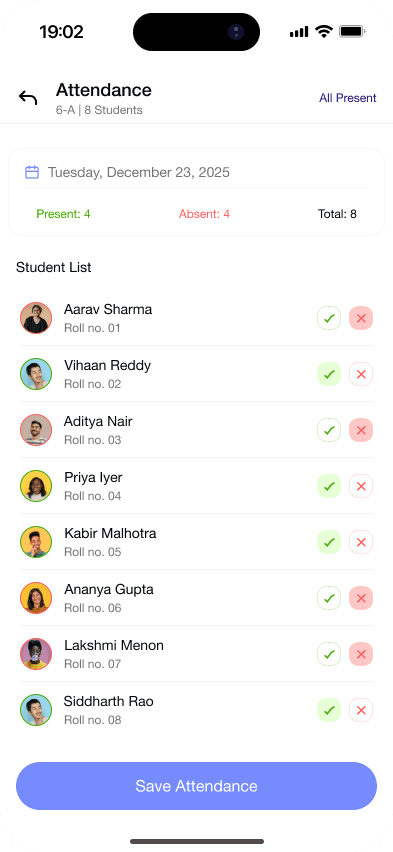
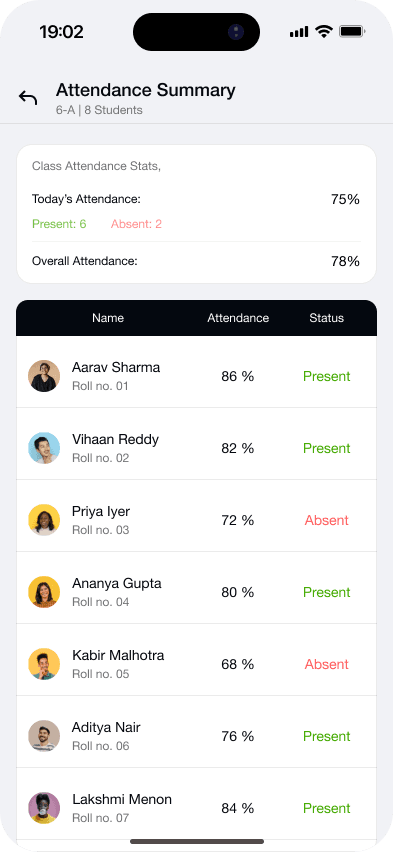
Teachers mark daily attendance in the Gyanama app as Present, Absent, Leave or Half-day. The principal sees live percentages for the school, each class and each section, including sections not marked yet. When a student falls below the school limit this month, Gyanama messages the family and then calls.
How do teachers mark attendance?
The class teacher opens the class in the app and marks each student in a few taps. Approved leave changes an absence to Leave on its own, and a gate pass marks the student as Half-day.
What does the principal see each day?
Today's attendance for the school, for every class and for every section, with a flag on sections that have not been marked yet.
What happens when a student keeps missing school?
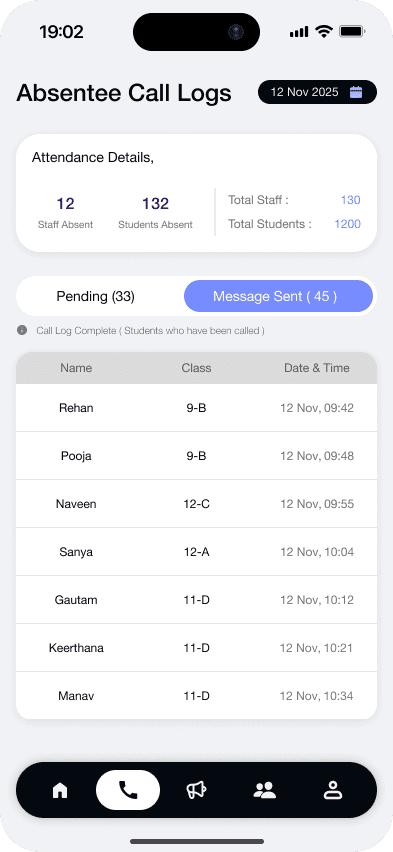
Gyanama checks monthly attendance every day. Below 60%, the family gets an app message and up to 3 reminders, then a call. Below 40%, the call goes out straight away.
Calls run between 10 am and 6 pm in Hindi, Hinglish or English. Approved leave, weekends and holidays are skipped, and each school sets its own limits.
Can we export the attendance register?
Yes. The monthly register for a section or a class downloads as PDF or Excel in A4 or A3, and all sections can be downloaded together as one ZIP file.
Questions schools ask.
Anything else? Message us on WhatsApp
Can we set the attendance limit to 75%?
Yes. 60% and 40% are the starting limits. Each school sets its own limits, so a CBSE school can use 75%.
Does approved leave count as an absence?
No. Approved leave is marked as Leave and never triggers a call.
Who can mark attendance?
The class teacher and any alternate teachers the school assigns to that class.
How often is attendance taken?
Once a day for each section, with Present, Absent, Leave or Half-day for every student.
See how Gyanama would follow up in your school.
A 20-minute call with real screens. We share plans and pricing on the call.