
One school app for principals, teachers, students and families.
Gyanama is a school app for Android 7.0 and later and iOS 13 and later. Each person signs in with a phone number and a one-time code and sees the screens for their role. Teachers mark attendance and set homework, students see their timetable and results, families use the student login, and principals see the whole school.
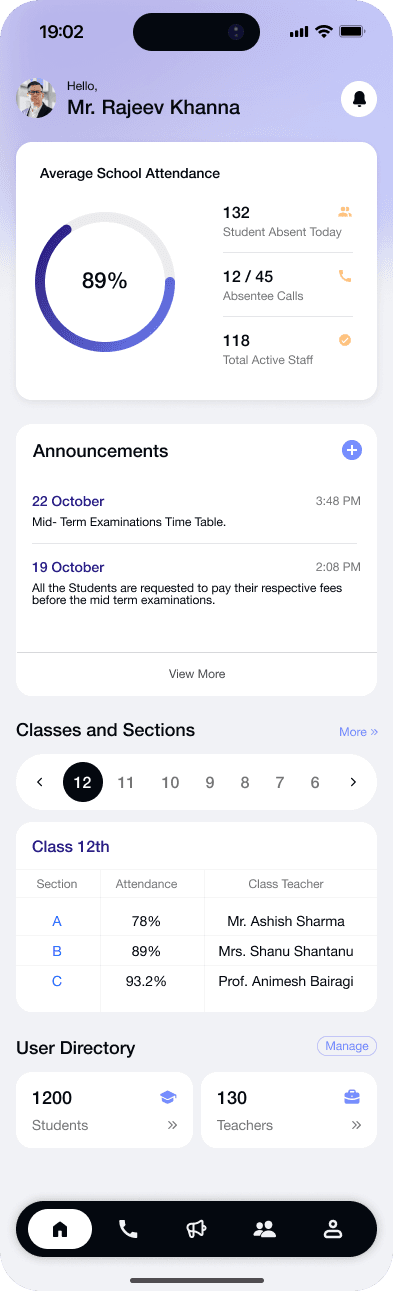
What does a principal see in the app?
The principal's home screen shows today's attendance for the whole school, how many students are absent, how many absentee calls have gone out and how many staff are present.
From the menu the principal opens the Health Score, exams and reports, bully reports, gate passes, forms and the school calendar.
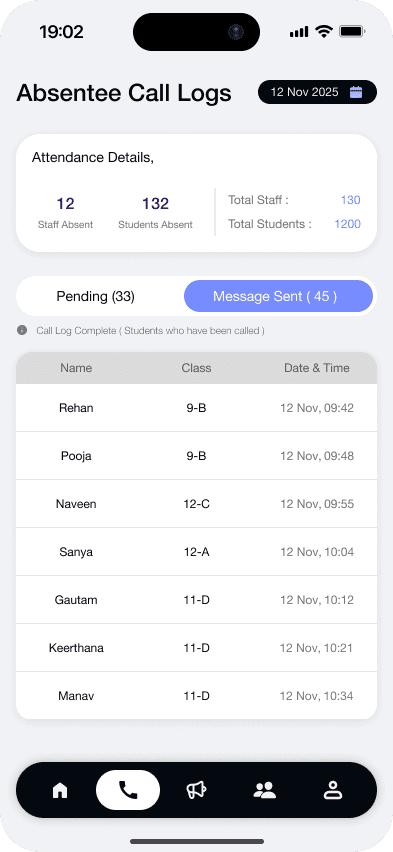
What can a teacher do from the phone?
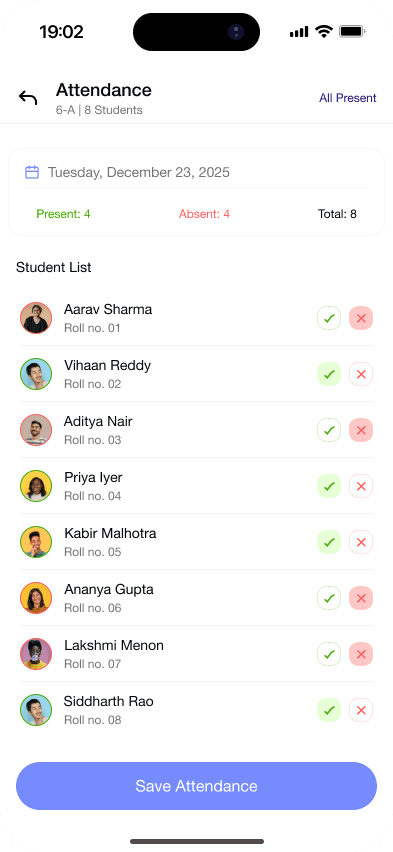
A teacher marks attendance in a few taps, sets homework with a deadline, uploads marks and answers student doubts.
- Accept or decline PTM requests from families
- Approve or reject leave requests
- Draft a test paper from a textbook chapter
- Generate a timetable draft for a class
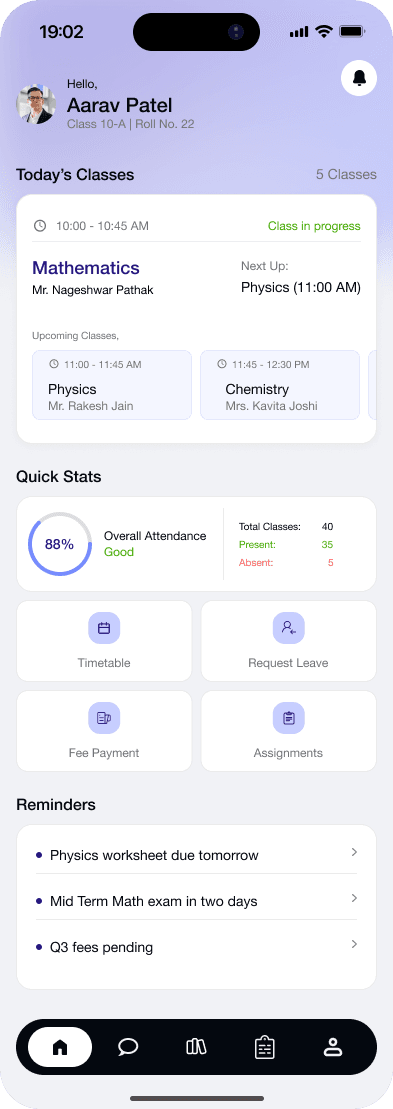
What do students and families see?
Students see today's classes, homework with a submit button, exam dates and results. Families sign in with the student's login, so a parent sees what the child's account shows.
- Request leave and a gate pass
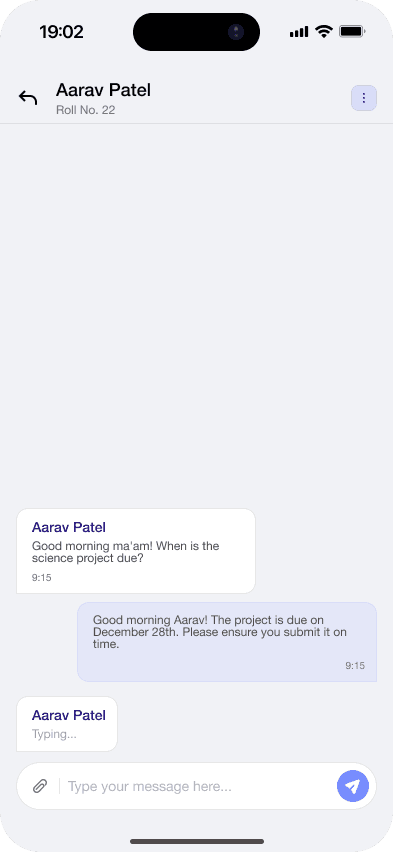
- Ask a teacher a doubt by subject
- Request a PTM time
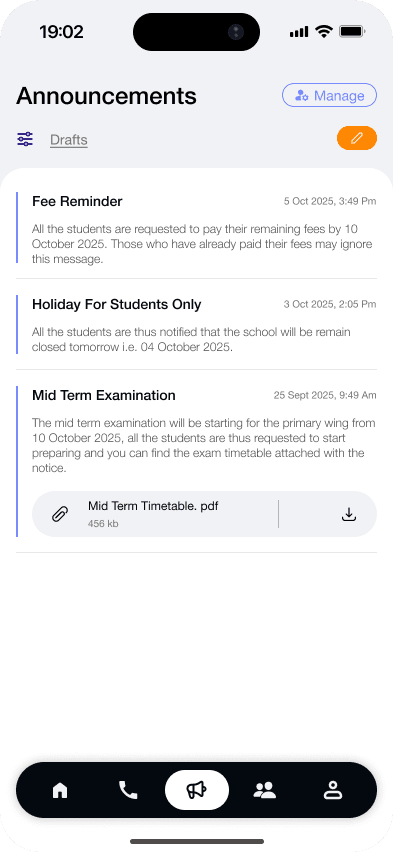
- Read announcements and the school calendar
Does the app send notifications?
Yes. The app sends push notifications for announcements, published exam schedules and homework reminders. Each person can turn push notifications off in Settings.
Is there an AI assistant in the app?
Yes. Every role has an AI assistant that answers questions about the school from the school's own data, such as today's timetable or pending homework.
Questions schools ask.
Anything else? Message us on WhatsApp
Which phones does the Gyanama app work on?
Android phones with Android 7.0 or later, and iPhones with iOS 13 or later.
Do parents need a separate app?
No. Families use the student's login in the same app.
Can one phone hold more than one account?
Yes. You can add several accounts on one phone and switch between them, for example when two children study in the same school.
Is the app available in Hindi?
The app screens are in English today. The AI calls to families are in Hindi, Hinglish or English, and the family chat in the app also handles Marathi and Tamil.
How do people sign in?
With their phone number and a one-time code. The code expires in 5 minutes and allows 3 tries.
See how Gyanama would follow up in your school.
A 20-minute call with real screens. We share plans and pricing on the call.